Prompt-to-diagram natural language → TikZ
Describe the figure you want; get editable TikZ you can drop straight into the library — assembled from templates and skills.
Copyable icons, editable templates, and one AI-editable skill.
Pull OpenTikZ into your project — the icons, templates, and the using-opentikz skill come with it.
Tell your AI agent the figure you want — "a training pipeline with two GPUs feeding a transformer," in plain words.
Guided by the skill, the agent reuses the existing icons, blocks, and templates to build editable TikZ — no hand-writing from scratch.
One prompt, one precise edit — across different kinds of change.

“recolor the database orange”
Every teal element switched to otorange — a palette name, never raw hex.
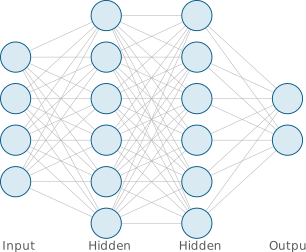
“add a hidden layer”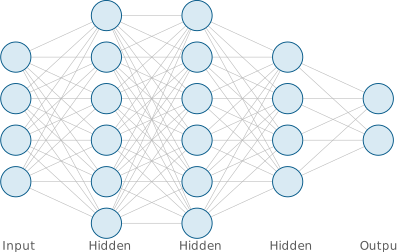
A fourth layer inserted before the output; connections and labels update automatically.
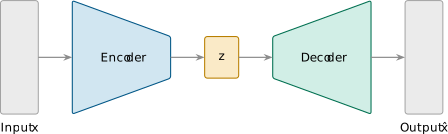
“add a cross-attention block and make it blue”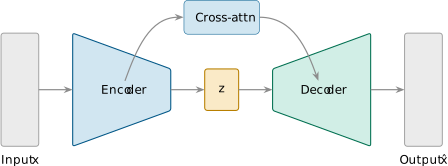
A blue cross-attention block added — the decoder now attends to the encoder (a documented skill op).
Describe the figure you want; get editable TikZ you can drop straight into the library — assembled from templates and skills.
Give a node–edge spec (JSON · DOT · adjacency); get a laid-out, editable figure you can refine like any template.
19 icons · 8 templates · 3 examples · content CC0 1.0